1. Download the latest
(v1.0.0) extension packaged (It's free).
After installation, you can upgrade to a Pro account directly in the
software if you want.
DOWNLOAD
(v1.0.0)
2. After downloading the extension package as a zip file, unzip the file to
a directory.
We use v1.0.0 to show the installation process step by step

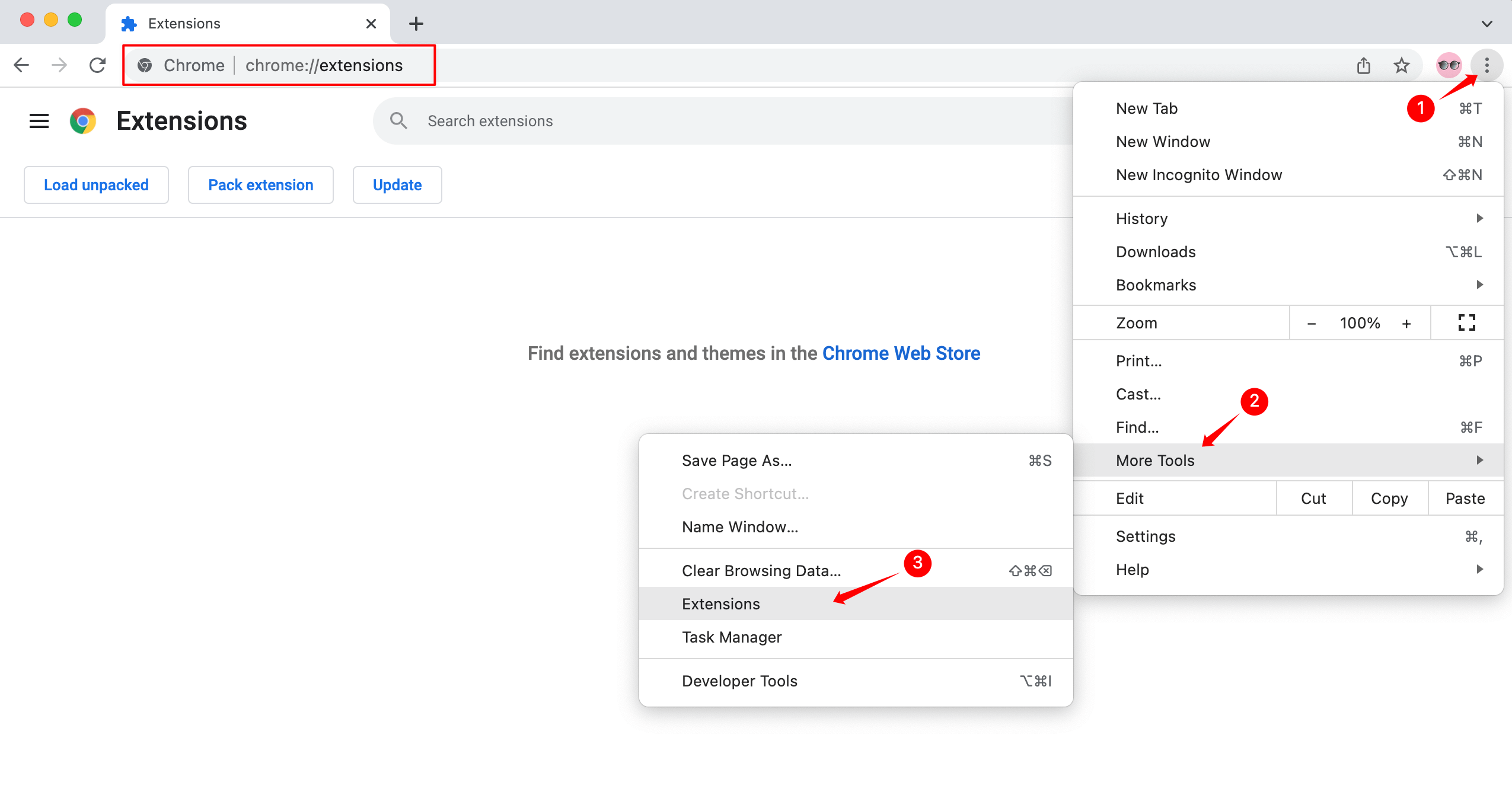
3. In chrome, visit chrome://extensions
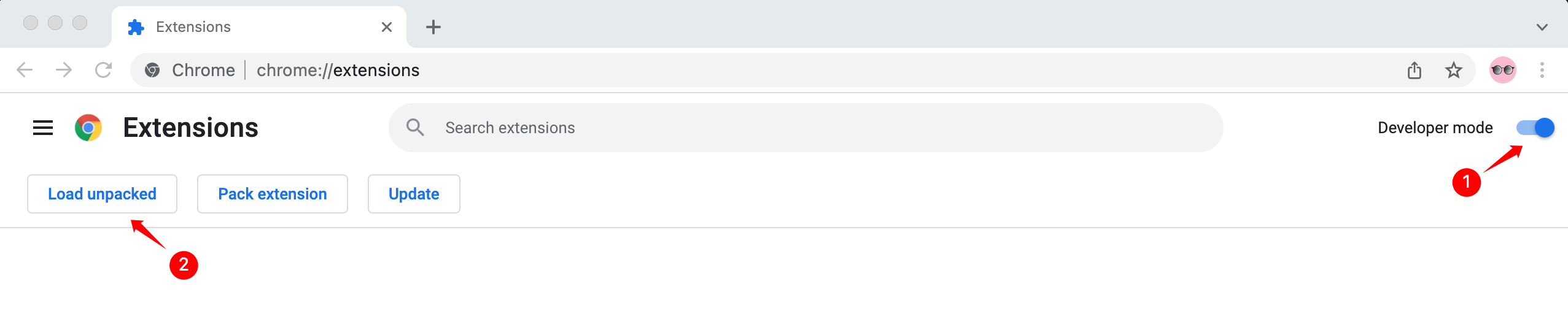
4. Enable Developer mode, click Load unpacked, and then select
email-verify-v1.0.0-production Folder
5. Done!
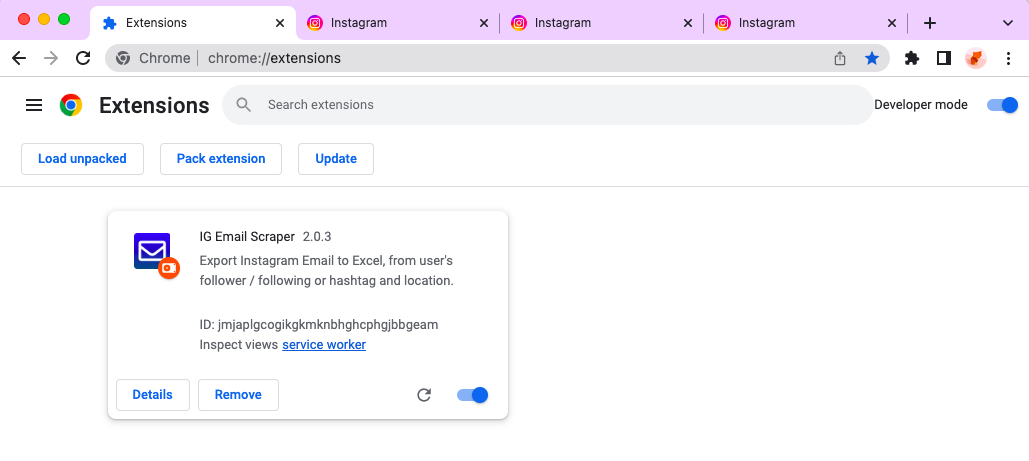
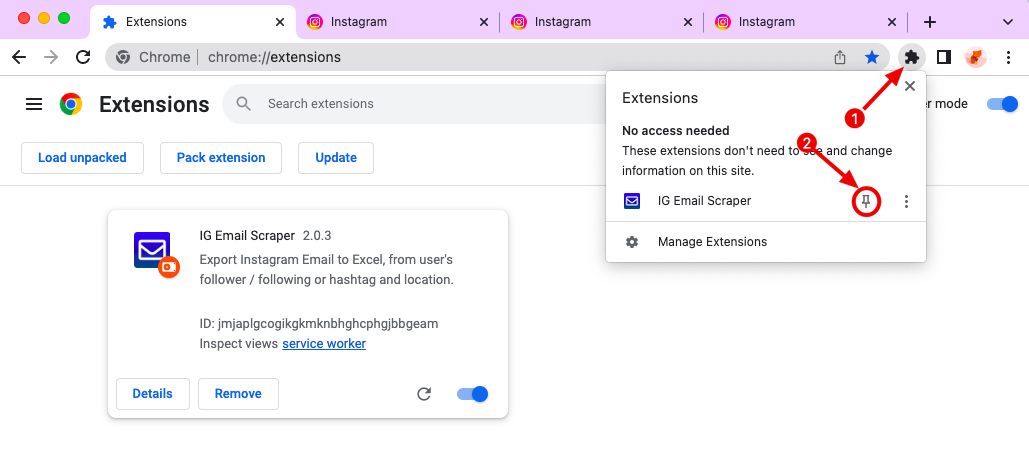
6. The extension is installed, and you are ready to go. For easy access to
the extension, pin it and it will appear on the toolbar.
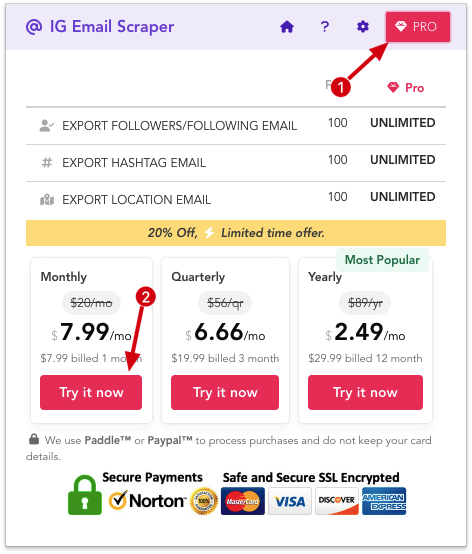
7. If you want to upgrade to a Pro account, click the Pro button and select
the plan you wish to subscribe to.
We will always keep updating our products. If you have any questions, you
can contact us. [email protected]